
Why is my AirPods case beeping green? A green status light normally means the AirPods or charging case is fully charged. The beep is a separate clue: it may be a normal charging chime, a Find My locating sound, an unwanted-tracking alert, a loose charging connection, or a pairing problem.
When the AirPods case beeping green pattern appears, note exactly when the sound happens—when you place the case on a charger, move it, open the lid, or insert an AirPod. That detail usually identifies the cause faster than resetting everything immediately.
Table of Contents
Quick Diagnosis: What the Green Light and Beep Mean
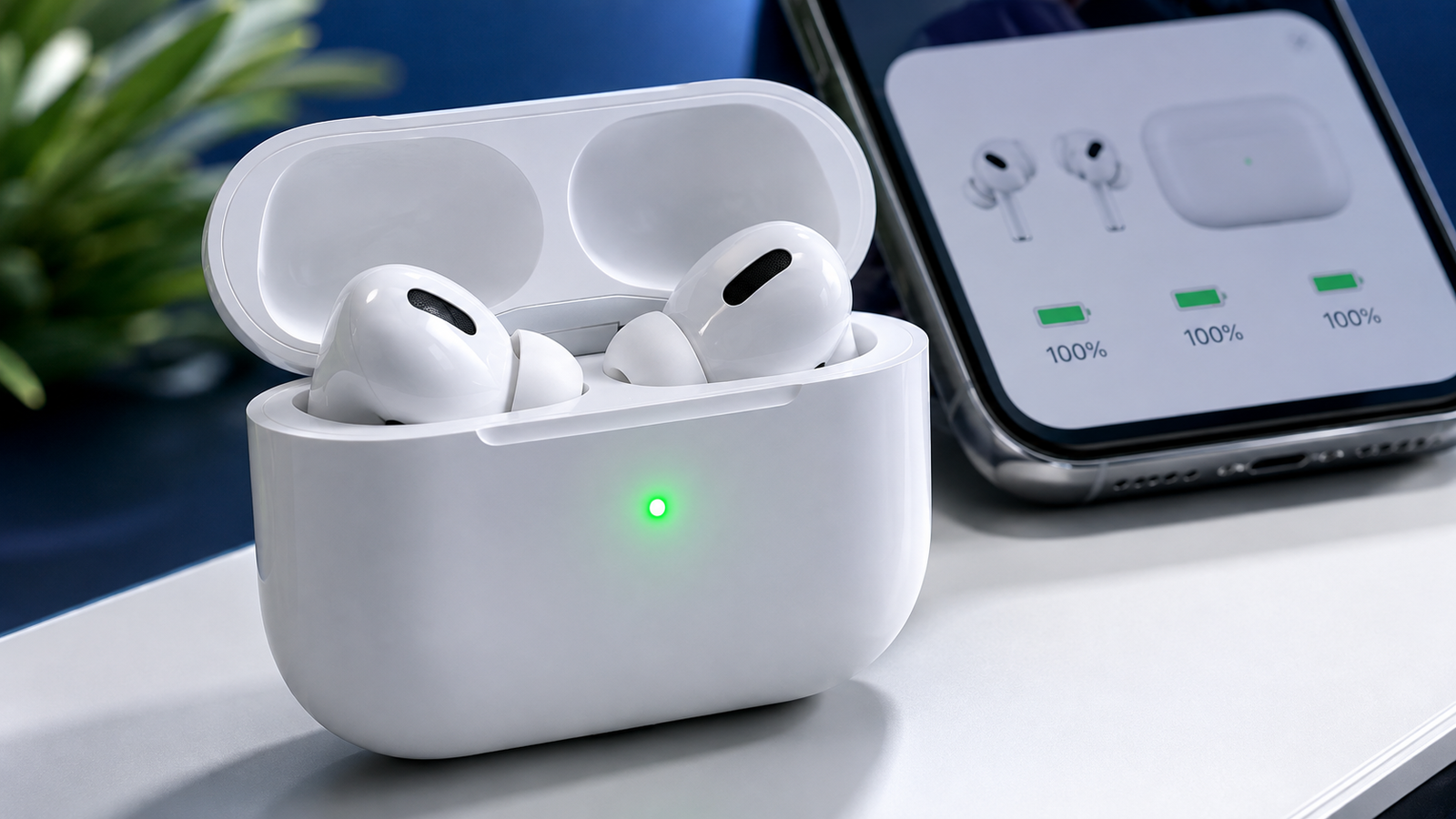
Apple explains that a green light means fully charged, while amber means less than one full charge remains. With the AirPods inside and the lid open, the light reports the earbuds’ charge. With the AirPods removed, it reports the case. See Apple’s AirPods charging and status-light guide.
| What happens | Most likely explanation | What to do first |
|---|---|---|
| One chime when charging begins | Normal charging-case sound | No action is needed, or turn off charging sounds |
| Green light without repeated beeping | The reported battery is fully charged | Check individual battery levels on your iPhone |
| Chirping when the case is moved | Find My or an ownership association | Check Find My and any tracking notification |
| Beeping after inserting one AirPod | Dirty contact or an AirPod is not detected | Clean and reseat both earbuds |
| Repeated beep with connection problems | Pairing or setup issue | Reconnect, then reset if necessary |
| Repeated chime on a wireless charger | Charging keeps disconnecting and restarting | Reposition the case or test a cable |
A steady green light is normally good news. When an AirPods case beeping green also makes a sound, diagnose the sound separately instead of treating green as an error code.
7 Reasons Your AirPods Case Is Beeping While Green
1. The Case Is Playing a Normal Charging Sound
An AirPods case beeping green once when placed on a charger is usually operating normally. The MagSafe Charging Cases for AirPods Pro 2 and AirPods Pro 3, and the Wireless Charging Case for AirPods 4 with Active Noise Cancellation, contain a speaker. These cases can make a sound when charging begins or when the battery is low.
If you hear one clean chime, the light appears briefly, and charging continues normally, there is probably nothing to repair. The green light simply shows that the battery being reported is fully charged.
2. Find My Is Playing a Locating Sound
Supported AirPods and charging cases can play a sound through Find My. Someone signed in to the Apple Account linked with the AirPods may have selected Play Sound intentionally or by mistake.
Open Find My > Devices > AirPods. If a locating request is active, stop it from that screen. Apple also explains how supported models can be located in its Find My guide for AirPods.
3. It Is an Unwanted-Tracking Safety Alert
If an unfamiliar AirPods case chirps after it has been moving with you, it may be producing an unwanted-tracking alert. Apple says AirPods separated from their owner can emit a sound when they are seen moving with another person over time.
Check your iPhone for an alert saying that AirPods or another Find My item was detected with you. Open the notification and follow the safety instructions. Do not simply silence an unknown device without identifying it. Apple’s unwanted-tracking guidance explains what to check.
If you purchased the AirPods secondhand, ask the previous owner to remove them from their Apple Account and Find My. Resetting the AirPods alone may not remove the ownership association.
4. The AirPods, Case and Apple Account Are Not Fully Synchronized
A replacement earbud, replacement case, interrupted setup, or used component can leave the AirPods in an inconsistent state. You may see one earbud missing from the battery display, an AirPods Mismatch warning, repeated setup prompts, or Find My showing incomplete setup.
Place both earbuds in the case and charge them together for at least 30 minutes. Open the lid near the paired iPhone and confirm that the battery card shows the left AirPod, right AirPod, and case separately. If one item is missing, clean and reseat it before resetting.
5. The Charging Connection Keeps Restarting
If the AirPods case beeping green issue happens on a MagSafe or Qi charging pad, the case may be repeatedly losing and regaining power. Each new connection can trigger the normal charging chime, making an ordinary sound seem like random beeping.
Remove any thick or magnetic protective cover and center the case on the charging pad. If the beeping continues, test a known-good charging cable and compatible power adapter. If wired charging works quietly, the likely problem is alignment, the charging pad, its adapter, or the protective case.
6. One AirPod Is Not Seating Correctly
Lint or debris inside a charging well can prevent one AirPod from making reliable contact. The case may alternate between detecting and losing that earbud, which can create confusing light, battery, or connection behavior.
Remove both AirPods and inspect the wells under good light. Wipe the earbuds and case with a clean, soft, dry, lint-free cloth. Do not push liquid, metal tools, or sharp objects into the charging contacts. Put each AirPod back in the case and confirm that both appear on the iPhone battery display.
7. The Pairing Connection Needs a Reset
If the AirPods case is beeping green alongside connection failures, missing battery information, or repeated setup prompts, the Bluetooth relationship may be stuck. First close the lid for 30 seconds and reconnect. If that does not help, forget and reset the AirPods using the correct instructions for your model.
How to Stop an AirPods Case From Beeping
Use the following fixes for an AirPods case beeping green in order. This prevents an unnecessary reset when the sound is only a normal charging chime or Find My alert.
Fix 1: Turn Off Ordinary Charging-Case Sounds
For AirPods Pro 2, AirPods Pro 3, or AirPods 4 with ANC:
- Wear the AirPods and connect them to your iPhone or iPad.
- Open Settings.
- Tap the name of your AirPods near the top of the screen.
- Turn off Enable Charging Case Sounds.
This controls ordinary case sounds that Apple allows you to disable. It may not turn off a Find My locating sound or an unwanted-tracking safety alert.
Fix 2: Check Find My and Ownership
Open Find My > Devices > AirPods. Stop any active locating sound and confirm that the AirPods appear under the correct Apple Account. If the AirPods are used or contain a replacement component, resolve any previous-owner or mismatch message before continuing.
Fix 3: Charge the Case and Both AirPods Together
For an AirPods case beeping green with confusing battery information, put both AirPods in the case and connect it to power for at least 30 minutes. Then open the lid beside your iPhone and check the left earbud, right earbud, and case battery levels individually. A green case light does not prove that both earbuds are charged if the light was reporting only the case.
Fix 4: Clean and Reseat Both AirPods
Clean the earbuds and charging wells carefully, then place each AirPod back into its slot. Confirm that the magnets pull both earbuds into position and that the iPhone recognizes both sides.
Fix 5: Test a Different Charging Method
If the AirPods case beeping green repeatedly does so only on a wireless charger, remove the protective case, realign the AirPods case, and try another compatible adapter. Test wired charging to separate a charging-pad problem from an AirPods problem.
Fix 6: Forget and Reconnect the AirPods
- Go to Settings > Bluetooth.
- Tap the information button beside your AirPods.
- Select Forget This Device and confirm.
- Open the case near the iPhone and follow the connection prompt.
Fix 7: Reset the Correct AirPods Model
Apple uses different reset methods for button-equipped cases and newer touch-sensitive cases. Follow the matching procedure below, based on Apple’s current reset instructions.
AirPods 1, AirPods 2, AirPods 3, AirPods Pro 1, or AirPods Pro 2:
- Put both AirPods in the case, close the lid, and wait 30 seconds.
- Forget the AirPods from Bluetooth settings.
- Open the lid.
- Press and hold the setup button on the back for about 15 seconds.
- When the light flashes amber and then white, reconnect using the onscreen prompt.
AirPods 4 or AirPods Pro 3:
- Put both AirPods in the case, close the lid, and wait 30 seconds.
- Forget the AirPods from Bluetooth settings, then open the lid.
- Double-tap the front of the case while the light is on.
- Double-tap again when the light flashes white.
- Double-tap a third time when the flashing becomes faster.
- Reconnect after the light flashes amber and then white.
If the case never reaches the expected amber-then-white sequence, charge it and try once more. Repeated resets are unlikely to fix a damaged case or an undetected earbud.
Why Does My AirPods Case Beep in Different Situations?
Why Does My AirPods Case Beep When I Move It?
If the case chirps after being moved, check for a Find My notification first. This is especially important with secondhand AirPods, a borrowed pair, or a case that may still belong to another Apple Account. If the AirPods are yours and no alert appears, open Find My and check whether a locating sound is active.
Why Does My AirPods Case Beep While Charging?
One chime when charging starts is normal on supported cases. Repeated chimes suggest that power may be disconnecting and reconnecting. Realign the wireless charger, remove a thick cover, and test a cable and compatible adapter.
Why Does the Case Beep When Fully Charged?
The green light and sound may be reporting different events. Green indicates that the relevant battery is fully charged, while the speaker may be confirming a charging connection or responding to Find My. Check the timing and sound pattern instead of assuming that a full battery caused an error.
Is a Flashing Green AirPods Case Light Normal?
For an AirPods case beeping green with a flashing light, Apple documents steady green as the fully charged state but does not describe flashing green as a standard fault code in its current status-light guide. If the light repeatedly flashes while the case beeps, focus on the surrounding behavior:
- Does it happen only when the case moves?
- Did someone select Play Sound in Find My?
- Does it happen only on a wireless charger?
- Are both earbuds detected and charging?
- Were the AirPods bought used or recently repaired?
These clues are more useful than treating a green flash as one universal diagnosis.
When to Contact Apple Support
Stop troubleshooting and seek professional help if:
- The case becomes unusually hot.
- The battery or case appears swollen.
- The case was exposed to liquid.
- The sound remains distorted or continuous after a successful reset.
- One AirPod is never detected after cleaning and charging.
- The case will not charge with a known-good cable and adapter.
Do not open or attempt to repair a lithium-ion battery case yourself. If the AirPods case beeping green problem returns, write down when the sound occurs, the light pattern, the charging method, and whether both earbuds appear on the iPhone. That information can make diagnosis faster. You can also browse more Tech Volix gadget guides.
Frequently Asked Questions
Why does my AirPods Pro 2 case randomly beep?
An AirPods case beeping green on the AirPods Pro 2 can reflect charging, low battery, Find My locating, or safety alerts. A single chime when charging begins is usually normal. Repeated chirping after movement or alongside a Find My notification requires a different response.
Can I turn off the AirPods charging-case sound?
Yes, on supported cases. Wear and connect the AirPods, open their page in Settings, and turn off Enable Charging Case Sounds. This setting does not necessarily disable Find My or safety-related alerts.
Does a green light mean my AirPods are broken?
No. A steady green light means fully charged. Diagnose the beep separately. Repeated flashing, charging interruptions, missing battery information, or an undetected earbud may justify troubleshooting.
Why does the case show green when one AirPod is dead?
The status light reports different batteries depending on whether the earbuds are inside the case. Open the lid near your iPhone and check the separate levels for the left AirPod, right AirPod, and case instead of relying only on the light.
Will resetting AirPods stop the beeping?
A reset can fix pairing and synchronization problems. It will not solve a normal charging sound, an active Find My request, a previous-owner association, an unstable charger, or damaged hardware. Identify the sound pattern before resetting.
Final Takeaway
If you are asking, “Why is my AirPods case beeping green?” remember that the light and speaker usually report different things. Green normally indicates a fully charged battery. One chime is often a normal charging sound, while repeated beeps may point to Find My, an unwanted-tracking alert, a loose charging connection, an undetected AirPod, or an incomplete setup.
Check the sound pattern, Find My status, ownership, charging method, and individual battery levels before resetting. If the case overheats, swells, will not charge, or continues producing abnormal sounds after the correct reset, stop using it and arrange professional service.

Leave a Reply